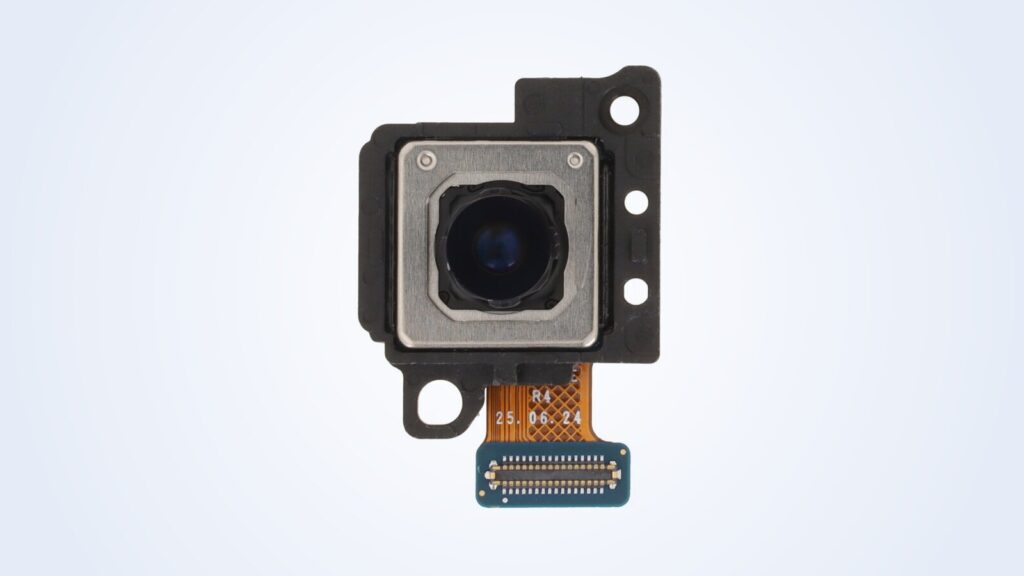
Camera problems have two common causes: a damaged lens cover (the glass over the camera) or a faulty camera module. The lens is a small and cheap part, so check that first.
Lens or module?
- Hazy or foggy photos, flares, a visible crack in the glass: usually the lens cover. Replace the camera lens.
- Black image, camera app crashes, no focus, shaking or clicking sound, one lens not working: usually the camera module.
- Check for software issues first: restart the phone, clear the camera app cache and install updates.
What you need
- The camera module or lens for your exact model (phones with several cameras often have separate modules)
- Screwdrivers, picks, a heat source and tweezers
- Lens adhesive when replacing only the lens
Before you start
- Back up your phone and switch it off completely.
- Check the exact model number (Settings › About phone, or the text on the SIM tray or the back). Parts that look the same often differ between models such as “5G” and “4G” or “Pro” and “Pro Max”.
- Opening a phone can end the manufacturer’s warranty and can affect water resistance. If your phone is still under warranty, check with the manufacturer first.
- Work on a clean, well-lit table with a soft mat. Keep screws in order: many phones use screws of different lengths, and a long screw in the wrong hole can damage the board.
Replacing the camera module
- Open the phone (from the back on most Android phones, from the screen on most iPhones) and disconnect the battery.
- Remove the camera bracket and disconnect the camera connectors.
- Lift the old module out. Do not touch the lenses or the sensor.
- Fit the new module, press the connectors in until they click, and fit the bracket.
- Test every camera (wide, ultra-wide, tele, front), focus, flash and video before you close the phone.
Replacing only the lens
Warm the area, lift the old lens carefully (it often breaks; work slowly and wear safety glasses), clean every bit of glass and adhesive away, then place the new lens with fresh adhesive. Make sure no dust is trapped under the glass.
Good to know
On some newer phones a replaced camera shows a “unknown part” message. On most models the camera keeps working normally.
Parts for this repair
- Back Camera Module (39 products)
- Camera Lens (33 products)